TerraFlo TerraFlo

A real route, in real time.

From a flat boardwalk to an 8% climb — real-world GPS keeps your equipment matched to the road, frame by frame.

ELEVATION

The road leads. Your equipment follows. The video keeps pace with you.

Most apps replay a workout. TerraFlo replays a place. Every video was filmed with synchronized GPS, so the app meets you where you are — whatever pace, whatever terrain.

For every kind of workout. A 14:00 5K up a tempo climb. A 2.5 mph walk along a flat boardwalk. The same engine handles both — your equipment matches the road, the road matches your effort.

The terrain can drive supported equipment. When the road climbs, TerraFlo can translate route grade into treadmill incline or smart-trainer resistance where the platform, equipment, and safety settings support it. Flat trails stay flat.

Your effort drives the video. Speed up, the footage speeds up. Slow down, it slows down. The terrain in front of you stays anchored to the route — you're not scrubbing through a fixed-speed video, you're traveling along the route at exactly the speed you're putting out.

No manual erg programs. No interval planning. Pick a route, hit start.

Find new routes. Track every workout.

A library of real-world rides, runs, and trails — and a quiet record of every workout you've ridden through.

The Home tab is where your training shows up. A suggested route that fits the day, your recent activities at a glance, and the equipment you've paired ready to go. No infinite feed. No nudges. Just what's relevant to your next workout.

  • 📍 Real GPS, real terrain. Every video on TerraFlo was filmed with synchronized GPS. Your trainer reads from the same track your eyes are watching.
  • 🏁 Every workout, recorded. Distance, duration, elevation gain, and the route you traced — captured automatically and exportable to Strava, health apps, or TCX where supported.
TerraFlo Home tab on iPhone showing a suggested route, recent activity, and quick setup card

An immersive workout. Scored by you.

A real-world video filling your screen, your live metrics where they belong, and your music in your ears.

TerraFlo activity playback view: a wide-aspect trail video with live overlays for speed, heart rate, grade, minimap, and elevation profile

Real-world video, full-screen. Real trails and real roads, captured with synchronized GPS — the same scenery you'd see on the day, scrolling at the speed you're moving.

Live metrics, where you can read them. Speed, heart rate, current grade, your route on a small map, and the elevation profile of where you are along the route. Glance and go — the data sits at the edges, the road stays in the middle.

Your music, where supported. Bring your own playlist or favorite podcast with Apple Music or Spotify handoff/control on supported platforms. The route doesn't dictate the soundtrack — you do.

How TerraFlo works.

Pick a route, connect the equipment you already own, and let the app translate real terrain into an indoor workout that feels tied to a place.

01

Browse real routes.

Explore rides, runs, hikes, and walks filmed with synchronized GPS. Route detail pages show distance, grade, elevation, route context, and activity history before you start.

02

Pair workout equipment.

Connect an FTMS treadmill or smart cycling trainer over Bluetooth. Heart-rate monitors, cadence sensors, power meters, foot pods, and watches can add richer live telemetry.

03

Let terrain drive the session.

The video speed follows your effort. Treadmill incline and cycling-trainer grade simulation follow the route, clamped to your equipment and safety settings.

04

Save, compare, and export.

Finished workouts can keep time, distance, heart rate, cadence, power, incline, elevation, and route progress where supported. Compare repeat efforts on the same route and export where supported.

Built for both sides of the route.

Arena is the workout mode: browse the catalog, preview a route, start when you are ready, and keep live overlays at the edge of the screen.

Studio is the creator mode: import GPS video, stitch clips, trim interruptions, customize overlays, generate thumbnails, export MP4s, or publish a route for other athletes.

Studio. Share what you ride or run.

Use a GoPro or your smartphone to record your favorite routes. Studio matches the footage to the same GPS the playback engine reads from, overlays your live metrics, minimap, and elevation profile — then it's yours to share with the world.

Every TerraFlo video — including the ones in the catalog today — went through the same Studio you get. Drop in clips, trim, overlay metrics + minimap + elevation, generate a thumbnail.

TerraFlo Studio editor on macOS showing a trail video with live metric overlays, a route minimap, an elevation profile, and an inspector panel
🌐

Publish to the catalog. Your route becomes a ride or run that others on TerraFlo can do — synced automatically to their FTMS trainer or treadmill the same way every video on the platform is. You're not feeding an algorithm; you're putting a real road into someone else's pain cave.

🎬

Or just create the video. Skip the catalog. Studio renders your live metrics, minimap, and elevation profile onto the footage and exports a clean MP4. Drop it into Instagram, YouTube, AirDrop — wherever you share. Your trail, your data, your video.

Studio's deepest editing tools are on macOS today. Mobile creation and editing support is rolling out by platform.

Built around real home-gym equipment.

Bring the setup you train on today, then confirm exact behavior during pairing.

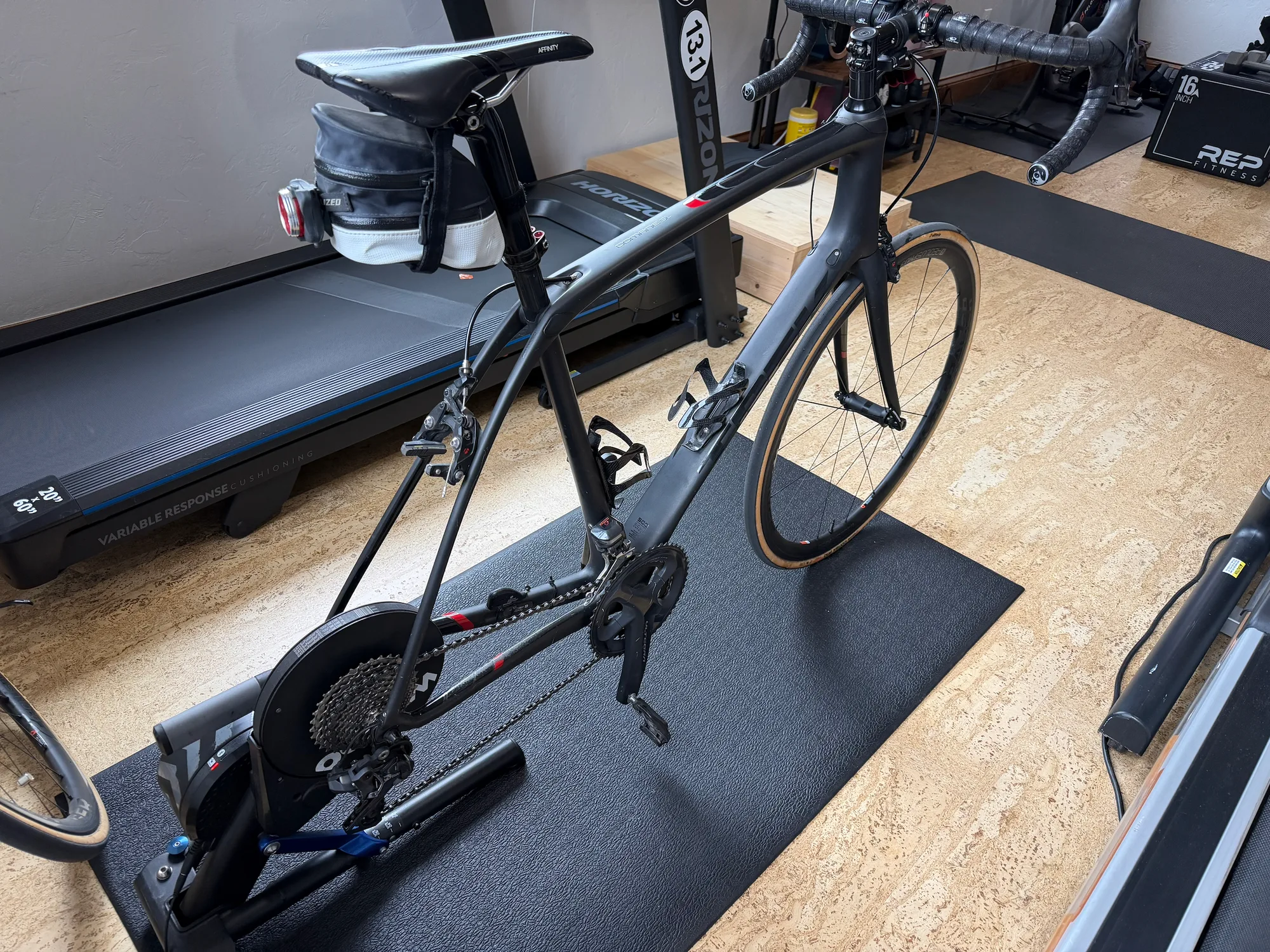
A road bike on a smart indoor trainer in a home workout space

Smart trainers.

Wahoo, Tacx, Saris, Elite, Zwift Hub, BKool, JetBlack — among the smart-trainer families TerraFlo is prioritizing. Pair over Bluetooth where supported, ride, and let the route influence resistance when the trainer exposes that control path.

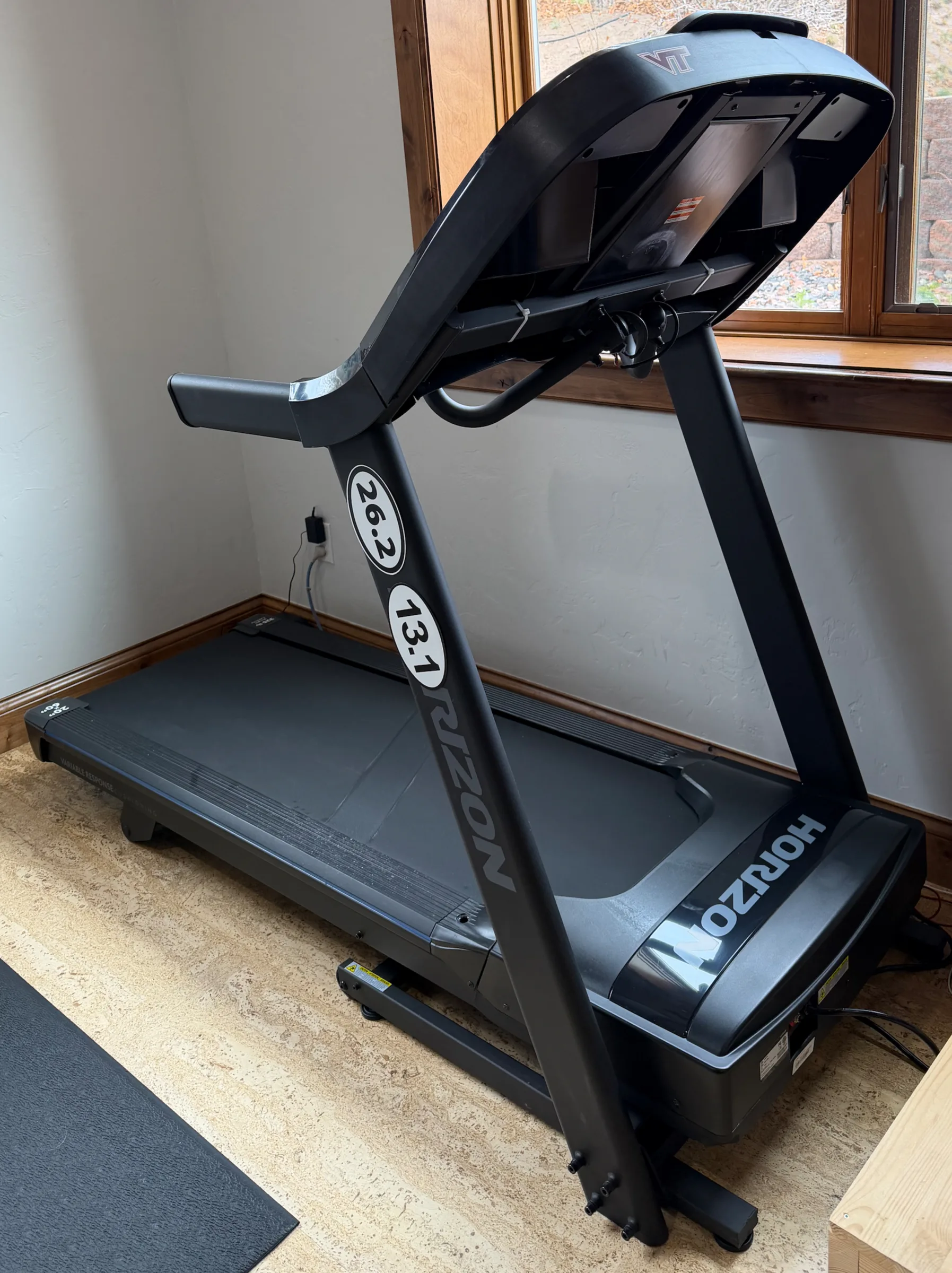
A Horizon treadmill set up in a home workout space

Treadmills.

Horizon, Sole, NordicTrack, Bowflex, ProForm, and other FTMS-priority treadmill families are part of the compatibility path. Video can match your pace, and incline can follow route terrain where supported.

And it's everywhere you need it.

iOS · Android · macOS · tvOS · watchOS. TerraFlo is being built across phone, TV, Mac, and watch companion surfaces so routes, workouts, Studio, and controls can meet users in the right place.

Big-screen workouts

Built for the room where indoor training actually happens.

On Apple TV and other large-screen setups, the promise is simple: readable overlays at distance, route video filling the screen, and a phone or watch nearby for control and context where supported.

Explore Apple TV and big screens

FAQ.

A little more of the practical stuff: accounts, devices, equipment, Studio, exports, and safety.

What makes TerraFlo different from a normal workout video?

TerraFlo videos are paired with GPS. The app uses the route data to keep the video, live metrics, route map, elevation profile, treadmill incline, and cycling-trainer grade simulation aligned with your actual effort.

Do I need an account?

You can browse public routes, explore the app shell, set up devices, and use local Studio workflows without starting from a login wall. An account is needed for activities, workout history, publishing, subscriptions, and connected-service sync.

What equipment does TerraFlo support?

TerraFlo is built around Bluetooth FTMS treadmills and indoor cycling trainers, plus sensors such as heart-rate monitors, cadence sensors, power meters, foot pods, and watch heart rate. The app profiles equipment capabilities during pairing so it can adapt to the controls and telemetry a device actually exposes.

Will TerraFlo start my treadmill belt?

No. TerraFlo is designed so Arena playback does not start or resume a treadmill belt for you. You start the treadmill, then TerraFlo can follow the route with safe, gated incline and stop behavior when your equipment supports it.

Can I ride routes on a smart trainer?

Yes. For cycling workouts, TerraFlo can use measured power and smart-trainer grade simulation so climbs feel harder, descents ease off, and the video moves with the speed you are producing.

Which devices can run the app?

TerraFlo is being built for iOS, Android, macOS, tvOS, and watch companion surfaces. Phone and TV screens are for workouts, macOS is the main Studio editing surface today, and watches can contribute companion workout and heart-rate context where supported.

What can I do in Studio?

Studio lets you import GPS video, stitch multiple clips, repair or trim interruptions, preview maps and elevation, place metric overlays, choose thumbnails, export MP4s, and publish routes to the TerraFlo catalog.

Can I use my own music?

Yes, with platform-specific support. TerraFlo is designed to let route video and workout metrics keep running while you use Apple Music or Spotify handoff/control where that platform supports it.

Can workouts sync to Strava or health apps?

Completed sessions can export to Strava, Apple Health, Health Connect, and TCX where supported. TerraFlo treats indoor route sessions as virtual workouts, preserving your workout data without pretending you physically traveled the filmed route outdoors.

Is TerraFlo available now?

TerraFlo is preparing for early access. Register as a beta tester and share your devices and equipment so early invites can match the setups being tested first.

Real outdoor routes. Real indoor workouts.

The terrain moves with you, on the smart trainer or treadmill you already own. Get notified when TerraFlo opens early access.

By registering you agree we may use your responses to plan beta invites and notify you when TerraFlo opens early access. Data controller: Hidden Mesa Labs, LLC — contact privacy@terraflo.fit for data requests. We keep your responses for up to 24 months or until you ask us to delete them. By submitting, you confirm you are 13 or older.

Register to be a beta tester

Tell us about your setup and we'll let you know when TerraFlo opens early access.

Contact
Devices

Check anything you have — we'll prioritize support for the combinations early users actually use.

Phone
Tablet
Computer
Watch
Fitness equipment

Tell us what you train on — brand and model help us prioritize equipment compatibility.

Notifications

By registering you agree we may use your responses to plan beta invites and notify you when TerraFlo opens early access. Data controller: Hidden Mesa Labs, LLC — contact privacy@terraflo.fit for data requests. We keep your responses for up to 24 months or until you ask us to delete them. By submitting, you confirm you are 13 or older.